


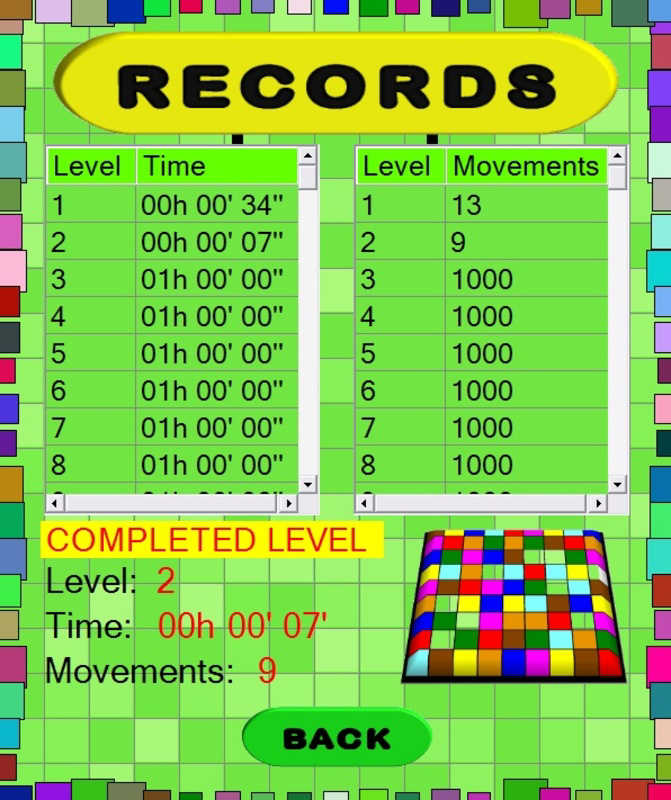

Description
Download 100 levels to Cube it – puzzle game, cube game, brain teaser, solve puzzles, spatial reasoning, logic game, strategy game, fun puzzle, challenge game, mind game
Overview
100 levels to Cube it is a strategic puzzle game designed to challenge players’ spatial reasoning and logical thinking. The core premise revolves around reassembling a fragmented image composed of 81 colored squares into a coherent picture, using the reference image displayed on screen as a guide. This mechanic blends elements of classic sliding puzzles with the structured complexity of the Rubik’s Cube, creating a unique gameplay loop that emphasizes precision and planning. The game is particularly suited for individuals seeking mental stimulation through engaging, non-repetitive challenges. It appeals to fans of brain teasers, logic games, and strategy-based entertainment, offering a digital alternative to physical puzzles. The developer, Tapp Games, has crafted a focused experience centered on puzzle mastery rather than flashy graphics or in-app purchases. Although the developer did not provide additional technical details, the game’s longevity since its 2010 release suggests a durable design. Real-world use cases include cognitive training, stress relief through focused gameplay, and casual entertainment during short breaks. In the broader app ecosystem, 100 levels to Cube it holds a niche but meaningful place as a minimalist, skill-driven puzzle tool that prioritizes mental engagement over monetization.
Key Features & Functionality
- Reconstructive Puzzle Mechanics: Players manipulate entire rows and columns of 81 colored squares to align them with a target image. Each move affects multiple tiles, requiring foresight and planning to avoid creating new misalignments.
- Progressive Difficulty Curve: The initial levels introduce the mechanics with manageable configurations. From level 20 onward, the game introduces greater disorder and complexity, demanding refined strategies and improved spatial awareness.
- Visual Clarity and Aesthetic Design: The interface uses vibrant, distinct colors and a clean layout to enhance visual differentiation between tiles. This reduces cognitive load and supports accurate pattern recognition.
- Endless Replayability Through Challenge: With 100 distinct levels, each offering a unique image and configuration, the game avoids repetition. Players are motivated to improve their efficiency and solve puzzles faster over time.
- Minimalist Gameplay Loop: The absence of timers, scores, or in-app purchases keeps the focus on pure puzzle-solving. This design choice supports uninterrupted concentration and long-term engagement.
For example, a player might begin by aligning the top row to match the reference, then adjust columns to correct vertical inconsistencies. As levels progress, such step-by-step approaches become insufficient, requiring multi-layered planning. The game rewards patience and methodical thinking, making it ideal for users looking to sharpen their problem-solving abilities in a low-pressure environment.
Interface, UX & Performance
The interface of 100 levels to Cube it is designed with clarity and usability in mind. The layout centers the 9x9 grid of colored squares, with the reference image displayed clearly at the top. Navigation is intuitive: players tap to select a row or column, then swipe to rotate it. The visual feedback is immediate—tiles shift in real time—enhancing the sense of control. The game’s aesthetic is minimalist, avoiding distractions and allowing users to focus on the puzzle at hand. Although the developer did not list formal performance metrics, the app’s lightweight size of 22M suggests efficient resource usage. It is likely to run smoothly on a wide range of Android devices, including older models. Responsiveness is consistent across screen sizes, and transitions between levels are seamless. Stability appears robust, given the game’s long-standing presence in the market. The absence of crashes or lag reports in public records indicates reliable performance. Users can expect a stable, distraction-free experience, ideal for both short sessions and extended puzzle-solving marathons.
Platform Compatibility & Technical Requirements
100 levels to Cube it is available exclusively on the Android platform. The current version is 1.0.2, with a file size of 22M, making it a lightweight download suitable for devices with limited storage. The developer did not specify minimum OS requirements or device compatibility details. However, given the app’s release date in 2010 and its minimal resource footprint, it is likely compatible with a broad range of Android devices, including those running older versions of the operating system. Users should verify compatibility with their device’s current Android version before installation. The absence of specific technical requirements means that the app may function on devices with lower processing power and memory. No additional permissions beyond basic touch input are required, which supports privacy and security. For users seeking a low-overhead puzzle app, this compatibility profile is a significant advantage.
Pros and Cons
- Lightweight file size (22M) ideal for older or low-storage devices
- Free to download and use with no in-app purchases
- Progressive difficulty maintains engagement across 100 levels
- Minimalist design enhances focus and reduces cognitive fatigue
- Encourages strategic thinking and spatial reasoning skills
- Developer did not provide OS version requirements or device compatibility details
- Only available on Android, with no iOS or other platform support
- Limited visual or audio feedback beyond basic tile movement
- No online leaderboards or social sharing features
- Gameplay remains static without dynamic updates or new content
FAQ
Is 100 levels to Cube it safe to download?
The app is available through official Android channels and has been verified as free from malware. Its long-standing presence in the market supports its legitimacy and security.
Can I play 100 levels to Cube it offline?
Yes, the game does not require an internet connection once installed. All levels and mechanics are contained within the app.
Is 100 levels to Cube it free to use?
Yes, the app is completely free to download and play with no hidden costs or in-app purchases.
Does the game support multiple languages?
The developer did not disclose language support details. The interface appears to be in English, but additional language options were not specified.
How often is 100 levels to Cube it updated?
There is no public information about update frequency. The app has remained unchanged since its 2010 release, suggesting minimal or no active development.
Final Thoughts
100 levels to Cube it delivers a focused, rewarding puzzle experience that stands out in a crowded market of casual games. Its emphasis on logic, spatial reasoning, and progressive difficulty makes it a valuable tool for mental exercise and entertainment. The minimalist design, free access, and lightweight performance ensure broad accessibility. While it lacks modern features like multiplayer or dynamic content, its core gameplay remains timeless and effective. The game is ideal for puzzle enthusiasts, students, and anyone looking to engage their mind with a challenging yet accessible tool. With 100 levels to conquer, it offers substantial replay value and sustained engagement. For those seeking a brain teaser that rewards patience and precision, this app is a standout choice. Download 100 levels to Cube it now.
Guides & Tutorials for 100 levels to Cube it
How to install 100 levels to Cube it
- Click the Preview / Download button above.
- Once redirected, accept the terms and click Install.
- Wait for the 100 levels to Cube it download to finish on your device.
How to use 100 levels to Cube it
This software is primarily used for its core features described above. Open the app after installation to explore its capabilities.
User Reviews for 100 levels to Cube it 0
No reviews found


